Manufacturing partner

Aluminum Windows BIM Object Content

Aluminum Windows BIM objects, families and systems are free to download in Revit or DWG formats for use with all major BIM and CAD software including AutoCAD, Sketch-Up, ArchiCAD and others.

Formats: RFA- Revit Family | RVT- Revit System | DWG- AutoCAD, Sketchup - all CAD software

By downloading and using any ARCAT BIM content you agree to the following license agreement
Summary: The CSI section 085113 covers Aluminum Windows, focusing on their design, construction, and performance specifications. This section is essential for architects, engineers, and contractors who need precise and reliable information about incorporating aluminum windows into building projects. BIM files associated with this section provide detailed digital representations that facilitate design accuracy and collaboration among project stakeholders.

Aluminum Luxury Windows - EdgeLine

Quaker Windows - Quartz Luxury Division

Window: CF Awning-Direct Set-Awning-Awning-ROTO: Edgeline: Quaker

Window: CF Awning-Direct Set-Awning-Awning-ROTO: Edgeline: Quaker Revit object3D Revit BIM viewer

Window: CF Awning: Direct Set-PO: Edgeline: Quaker

Window: CF Awning: Direct Set-PO: Edgeline: Quaker Revit object3D Revit BIM viewer

Window: CF CA-CA-CA-CA: Quadruple: Edgeline: Quaker

Window: CF CA-CA-CA-CA: Quadruple: Edgeline: Quaker Revit object3D Revit BIM viewer

Window: CF CA-CA-Direct Set-CA: Quadruple: Edgeline: Quaker

Window: CF CA-CA-Direct Set-CA: Quadruple: Edgeline: Quaker Revit object3D Revit BIM viewer

Window: CF CA-CA: Edgeline: Quaker

Window: CF CA-CA: Edgeline: Quaker Revit object3D Revit BIM viewer

Window: CF CA-CA-Direct Set: Edgeline: Quaker

Window: CF CA-CA-Direct Set: Edgeline: Quaker Revit object3D Revit BIM viewer

Window: CF CA-Direct Set-CA: Edgeline: Quaker

Window: CF CA-Direct Set-CA: Edgeline: Quaker Revit object3D Revit BIM viewer

Window: CF CA-Direct Set-Direct Set: Edgeline: Quaker

Window: CF CA-Direct Set-Direct Set: Edgeline: Quaker Revit object3D Revit BIM viewer

Window: CF CA-Direct Set-Direct Set-CA: Quadruple: Edgeline: Quaker

Window: CF CA-Direct Set-Direct Set-CA: Quadruple: Edgeline: Quaker Revit object3D Revit BIM viewer

Window: CF Center-Split: Edgeline: Quaker

Window: CF Center-Split: Edgeline: Quaker Revit object3D Revit BIM viewer

Window: CF Center-Split: 1: Edgeline: Quaker

Window: CF Center-Split: 1: Edgeline: Quaker Revit object3D Revit BIM viewer

Window: CF Direct Set-Awning-ROTO: Edgeline: Quaker

Window: CF Direct Set-Awning-ROTO: Edgeline: Quaker Revit object3D Revit BIM viewer

Window: CF Direct Set-CA: Edgeline: Quaker

Window: CF Direct Set-CA: Edgeline: Quaker Revit object3D Revit BIM viewer

Window: CF Direct Set-Direct Set: Edgeline: Quaker

Window: CF Direct Set-Direct Set: Edgeline: Quaker Revit object3D Revit BIM viewer

Window: CF Direct Set-Push-Out: Edgeline: Quaker

Window: CF Direct Set-Push-Out: Edgeline: Quaker Revit object3D Revit BIM viewer

Window: CF Direct Set-Quadruple: Edgeline: Quaker

Window: CF Direct Set-Quadruple: Edgeline: Quaker Revit object3D Revit BIM viewer

Window: CF Direct Set-Triple: Edgeline: Quaker

Window: CF Direct Set-Triple: Edgeline: Quaker Revit object3D Revit BIM viewer

Window: CF Direct Set: CA-Edgeline: Quaker

Window: CF Direct Set: CA-Edgeline: Quaker Revit object3D Revit BIM viewer

Window: CF Left-Split-ROTO: Edgeline: Quaker

Window: CF Left-Split-ROTO: Edgeline: Quaker Revit object3D Revit BIM viewer

Window: CF Left-Split-ROTO: 2: Edgeline: Quaker

Window: CF Left-Split-ROTO: 2: Edgeline: Quaker Revit object3D Revit BIM viewer

Window: CF Push-Out-CF-Push-Out: Edgeline: Quaker

Window: CF Push-Out-CF-Push-Out: Edgeline: Quaker Revit object3D Revit BIM viewer

Window: CF Push-Out-Direct Set: Edgeline: Quaker

Window: CF Push-Out-Direct Set: Edgeline: Quaker Revit object3D Revit BIM viewer

Window: CF Right-Split-ROTO: Edgeline: Quaker

Window: CF Right-Split-ROTO: Edgeline: Quaker Revit object3D Revit BIM viewer

Window: CF Right-Split-ROTO: 2: Edgeline: Quaker

Window: CF Right-Split-ROTO: 2: Edgeline: Quaker Revit object3D Revit BIM viewer

Window: CF Right-Split-ROTO: 3: Edgeline: Quaker

Window: CF Right-Split-ROTO: 3: Edgeline: Quaker Revit object3D Revit BIM viewer

Window: CF Right-Split-ROTO: 4: Edgeline: Quaker

Window: CF Right-Split-ROTO: 4: Edgeline: Quaker Revit object3D Revit BIM viewer

Window: CF Right-Split: Edgeline: Quaker

Window: CF Right-Split: Edgeline: Quaker Revit object3D Revit BIM viewer

Window: CF Right-Split: 1: Edgeline: Quaker

Window: CF Right-Split: 1: Edgeline: Quaker Revit object3D Revit BIM viewer

Window: CF ROTO-Direct Set: Edgeline: Quaker

Window: CF ROTO-Direct Set: Edgeline: Quaker Revit object3D Revit BIM viewer

Window: Corner: Edgeline: Quaker

Window: Corner: Edgeline: Quaker Revit object3D Revit BIM viewer

Window: Direct Set: Edgeline: Quaker

Window: Direct Set: Edgeline: Quaker Revit object3D Revit BIM viewer

Window: Push Out-AWN: Edgeline: Quaker

Window: Push Out-AWN: Edgeline: Quaker Revit object3D Revit BIM viewer

Window: Push Out-CA: Edgeline: Quaker

Window: Push Out-CA: Edgeline: Quaker Revit object3D Revit BIM viewer

Window: ROTO AWN: Edgeline: Quaker

Window: ROTO AWN: Edgeline: Quaker Revit object3D Revit BIM viewer

Window: ROTO CA: Edgeline: Quaker

Window: ROTO CA: Edgeline: Quaker Revit object3D Revit BIM viewer

Aluminum Windows - Awning

All Weather Architectural Aluminum

Window: Awning - 5000 Series

Window: Awning - 5000 Series Revit object3D Revit BIM viewer

Window: Awning - 6000 Series

Window: Awning - 6000 Series Revit object3D Revit BIM viewer

Window: Awning - 6100 Series

Window: Awning - 6100 Series Revit object3D Revit BIM viewer

Aluminum Windows - Casement

All Weather Architectural Aluminum

Window: Casement - 5000 Series

Window: Casement - 5000 Series Revit object3D Revit BIM viewer

Window: Casement - 6000 Series

Window: Casement - 6000 Series Revit object3D Revit BIM viewer

Window: Casement - 6100 Series

Window: Casement - 6100 Series Revit object3D Revit BIM viewer

Aluminum Windows - Fixed

All Weather Architectural Aluminum

Window: Fixed - 5000 Series

Window: Fixed - 5000 Series Revit object3D Revit BIM viewer

Window: Fixed - 6000 Series

Window: Fixed - 6000 Series Revit object3D Revit BIM viewer

Window: Fixed - 6100 Series

Window: Fixed - 6100 Series Revit object3D Revit BIM viewer

Aluminum Windows - Horizontal Sliding

All Weather Architectural Aluminum

Window: Sliding: 6200 Series OX-XO

Window: Sliding: 6200 Series OX-XO Revit object3D Revit BIM viewer

Window: Sliding: 6200 Series OXO

Window: Sliding: 6200 Series OXO Revit object3D Revit BIM viewer

Architectural Aluminum Doors with Thermal Breaks

AluminTechno JLLC

ALT W62 Double Leaf Side Hinged Door Opening Outwards

ALT W62 Double Leaf Side Hinged Door Opening Outwards Revit object3D Revit BIM viewer

ALT W62 Double Leaf Side Hinged Door Opening Inwards with a High Bottom Rail

ALT W62 Double Leaf Side Hinged Door Opening Inwards with a High Bottom Rail Revit object3D Revit BIM viewer

ALT W62 Double Leaf Side Hinged Door Opening Inwards

ALT W62 Double Leaf Side Hinged Door Opening Inwards Revit object3D Revit BIM viewer

ALT W62 Side Hinged Door, Opening Outwards, Left- or Right-Handed

ALT W62 Side Hinged Door, Opening Outwards, Left- or Right-Handed Revit object3D Revit BIM viewer

ALT W62 Side Hinged Door, Opening Inwards, Left- or Right-Handed

ALT W62 Side Hinged Door, Opening Inwards, Left- or Right-Handed Revit object3D Revit BIM viewer

ALT W62 Balcony Door with a Left Fixed Window

ALT W62 Balcony Door with a Left Fixed Window Revit object3D Revit BIM viewer

ALT W62 Balcony Door with a Right Fixed Window

ALT W62 Balcony Door with a Right Fixed Window Revit object3D Revit BIM viewer

ALT W62 Door with a Fanlight, Left- or Right-Handed

ALT W62 Door with a Fanlight, Left- or Right-Handed Revit object3D Revit BIM viewer

ALT W72 Double Leaf Side Hinged Door Opening Outwards

ALT W72 Double Leaf Side Hinged Door Opening Outwards Revit object3D Revit BIM viewer

ALT W72 Double Leaf Side Hinged Door Opening Inwards with a High Bottom Rail

ALT W72 Double Leaf Side Hinged Door Opening Inwards with a High Bottom Rail Revit object3D Revit BIM viewer

ALT W72 Double Leaf Side Hinged Door Opening Inwards

ALT W72 Double Leaf Side Hinged Door Opening Inwards Revit object3D Revit BIM viewer

ALT W72 Side Hinged Door, Opening Outwards, Left- or Right-Handed

ALT W72 Side Hinged Door, Opening Outwards, Left- or Right-Handed Revit object3D Revit BIM viewer

ALT W72 Side Hinged Door, Opening Inwards, Left- or Right-Handed

ALT W72 Side Hinged Door, Opening Inwards, Left- or Right-Handed Revit object3D Revit BIM viewer

ALT W72 Balcony Door with a Left Fixed Window

ALT W72 Balcony Door with a Left Fixed Window Revit object3D Revit BIM viewer

ALT W72 Balcony Door with a Right Fixed Window

ALT W72 Balcony Door with a Right Fixed Window Revit object3D Revit BIM viewer

ALT W72 Door with a Fanlight, Left- or Right-Handed

ALT W72 Door with a Fanlight, Left- or Right-Handed Revit object3D Revit BIM viewer

Architectural Aluminum Windows with Thermal Breaks W72

AluminTechno JLLC

ALT W62 Fixed Window with Horizontal, Vertical or Crossed Mullions or without Mullions, or the Dual-Action/Casement Window

ALT W62 Fixed Window with Horizontal, Vertical or Crossed Mullions or without Mullions, or the Dual-Action/Casement Window Revit object3D Revit BIM viewer

ALT W62 Window Block with Crossed Mullions and with or without a Sash or Sashes

ALT W62 Window Block with Crossed Mullions and with or without a Sash or Sashes Revit object3D Revit BIM viewer

ALT W62 Window Block with a Horizontal Mullion and with or without a Sash or Sashes, Left- or Right-Handed

ALT W62 Window Block with a Horizontal Mullion and with or without a Sash or Sashes, Left- or Right-Handed Revit object3D Revit BIM viewer

ALT W62 Window Block with Horizontal Mullions and with or without a Sash or Sashes, Left- or Right-Handed

ALT W62 Window Block with Horizontal Mullions and with or without a Sash or Sashes, Left- or Right-Handed Revit object3D Revit BIM viewer

ALT W62 Window Block with Vertical Mullions and with or without a Sash or Sashes, the Middle Sash Left- or Right-Handed

ALT W62 Window Block with Vertical Mullions and with or without a Sash or Sashes, the Middle Sash Left- or Right-Handed Revit object3D Revit BIM viewer

ALT W62 Double Casement Window without a Mullion

ALT W62 Double Casement Window without a Mullion Revit object3D Revit BIM viewer

ALT W62 Window Block with a Vertical Mullion and with or without a Sash or Sashes

ALT W62 Window Block with a Vertical Mullion and with or without a Sash or Sashes Revit object3D Revit BIM viewer

Commercial Architectural Windows

Quaker Windows & Doors

Window: Aluminum: CF CA-CA: H450

Window: Aluminum: CF CA-CA: H450 Revit object3D Revit BIM viewer

Window: Aluminum: CF CA-CA-CA-CA: Quadruple: H450

Window: Aluminum: CF CA-CA-CA-CA: Quadruple: H450 Revit object3D Revit BIM viewer

Window: Aluminum: CF CA-CA-Fixed: H450

Window: Aluminum: CF CA-CA-Fixed: H450 Revit object3D Revit BIM viewer

Window: Aluminum: CF CA-CA-Fixed-CA: Quadruple: H450

Window: Aluminum: CF CA-CA-Fixed-CA: Quadruple: H450 Revit object3D Revit BIM viewer

Window: Aluminum: CF CA-Fixed-CA: H450

Window: Aluminum: CF CA-Fixed-CA: H450 Revit object3D Revit BIM viewer

Window: Aluminum: CF CA-Fixed-Fixed: H450

Window: Aluminum: CF CA-Fixed-Fixed: H450 Revit object3D Revit BIM viewer

Window: Aluminum: CF CA-Fixed-Fixed-CA: Quadruple: H450

Window: Aluminum: CF CA-Fixed-Fixed-CA: Quadruple: H450 Revit object3D Revit BIM viewer

Window: Aluminum: CF Center-Split: H450

Window: Aluminum: CF Center-Split: H450 Revit object3D Revit BIM viewer

Window: Aluminum: CF Center-Split-1: H450

Window: Aluminum: CF Center-Split-1: H450 Revit object3D Revit BIM viewer

Window: Aluminum: CF Fixed-Awning-ROTO: H450

Window: Aluminum: CF Fixed-Awning-ROTO: H450 Revit object3D Revit BIM viewer

Window: Aluminum: CF Fixed-CA: H450

Window: Aluminum: CF Fixed-CA: H450 Revit object3D Revit BIM viewer

Window: Aluminum: CF-Fixed-Fixed: H450

Window: Aluminum: CF-Fixed-Fixed: H450 Revit object3D Revit BIM viewer

Window: Aluminum: CF CA-Fixed-Fixed: H450

Window: Aluminum: CF CA-Fixed-Fixed: H450 Revit object3D Revit BIM viewer

Window: Aluminum: CF Fixed Push Out: H450

Window: Aluminum: CF Fixed Push Out: H450 Revit object3D Revit BIM viewer

Window: Aluminum: CF Fixed Quadruple: H450

Window: Aluminum: CF Fixed Quadruple: H450 Revit object3D Revit BIM viewer

Window: Aluminum: CF Fixed Triple: H450

Window: Aluminum: CF Fixed Triple: H450 Revit object3D Revit BIM viewer

Window: Aluminum: CF Left Split: ROTO: H450

Window: Aluminum: CF Left Split: ROTO: H450 Revit object3D Revit BIM viewer

Window: Aluminum: CF Left Split ROTO 2: H450

Window: Aluminum: CF Left Split ROTO 2: H450 Revit object3D Revit BIM viewer

Window: Aluminum: CF Push Out: H450

Window: Aluminum: CF Push Out: H450 Revit object3D Revit BIM viewer

Window: Aluminum: CF Push Out Fixed: H450

Window: Aluminum: CF Push Out Fixed: H450 Revit object3D Revit BIM viewer

Window: Aluminum: CF Right Split: H450

Window: Aluminum: CF Right Split: H450 Revit object3D Revit BIM viewer

Window: Aluminum: CF Right Split 1: H450

Window: Aluminum: CF Right Split 1: H450 Revit object3D Revit BIM viewer

Window: Aluminum: CF Right Split ROTO: H450

Window: Aluminum: CF Right Split ROTO: H450 Revit object3D Revit BIM viewer

Window: Aluminum: CF Right Split ROTO: 2: H450

Window: Aluminum: CF Right Split ROTO: 2: H450 Revit object3D Revit BIM viewer

Window: Aluminum: CF Right Split ROTO: 3: H450

Window: Aluminum: CF Right Split ROTO: 3: H450 Revit object3D Revit BIM viewer

Window: Aluminum: CF Right Split ROTO: 4: H450

Window: Aluminum: CF Right Split ROTO: 4: H450 Revit object3D Revit BIM viewer

Window: Aluminum: CF ROTO-Fixed: H450

Window: Aluminum: CF ROTO-Fixed: H450 Revit object3D Revit BIM viewer

Window: Aluminum: Corner: H450

Window: Aluminum: Corner: H450 Revit object3D Revit BIM viewer

Window: Aluminum: Fixed: H450

Window: Aluminum: Fixed: H450 Revit object3D Revit BIM viewer

Window: Aluminum: Push Out-CA: H450

Window: Aluminum: Push Out-CA: H450 Revit object3D Revit BIM viewer

Window: Aluminum: ROTO CA: H450

Window: Aluminum: ROTO CA: H450 Revit object3D Revit BIM viewer

Awning Window: Awning-Fixed - C600

Awning Window: Awning-Fixed - C600 Revit object3D Revit BIM viewer

Awning Window: Fixed-Awning - C600

Awning Window: Fixed-Awning - C600 Revit object3D Revit BIM viewer

Awning Window: Fixed-Awning-Fixed - C600

Awning Window: Fixed-Awning-Fixed - C600 Revit object3D Revit BIM viewer

Awning Window: Awning: Aluminum: CF-Fixed-Awning-PO: H450

Awning Window: Awning: Aluminum: CF-Fixed-Awning-PO: H450 Revit object3D Revit BIM viewer

Awning Window: Awning: Aluminum: CF-Fixed-Awning: ROTO: H450

Awning Window: Awning: Aluminum: CF-Fixed-Awning: ROTO: H450 Revit object3D Revit BIM viewer

Awning Window: Push Out: H450

Awning Window: Push Out: H450 Revit object3D Revit BIM viewer

Awning Window: ROTO: H450

Awning Window: ROTO: H450 Revit object3D Revit BIM viewer

Awning Window: Single - C600

Awning Window: Single - C600 Revit object3D Revit BIM viewer

Awning Window: Vinyl - V300

Awning Window: Vinyl - V300 Revit object3D Revit BIM viewer

Casement Window: Casement: Casement - C600

Casement Window: Casement: Casement - C600 Revit object3D Revit BIM viewer

Casement Window: Casement: Fixed - C600

Casement Window: Casement: Fixed - C600 Revit object3D Revit BIM viewer

Casement Window: Casement: Fixed - C600

Casement Window: Casement: Fixed - C600 Revit object3D Revit BIM viewer

Casement Window: Single - C600

Casement Window: Single - C600 Revit object3D Revit BIM viewer

Casement Window: Vinyl - V300

Casement Window: Vinyl - V300 Revit object3D Revit BIM viewer

Offset Window: Fixed - H650

Offset Window: Fixed - H650 Revit object3D Revit BIM viewer

Window Wall: Unit - R45F

Window Wall: Unit - R45F Revit object3D Revit BIM viewer

Window Wall Unit: Example Project - R45F

Window Wall Unit: Example Project - R45F Revit object3D Revit BIM viewer

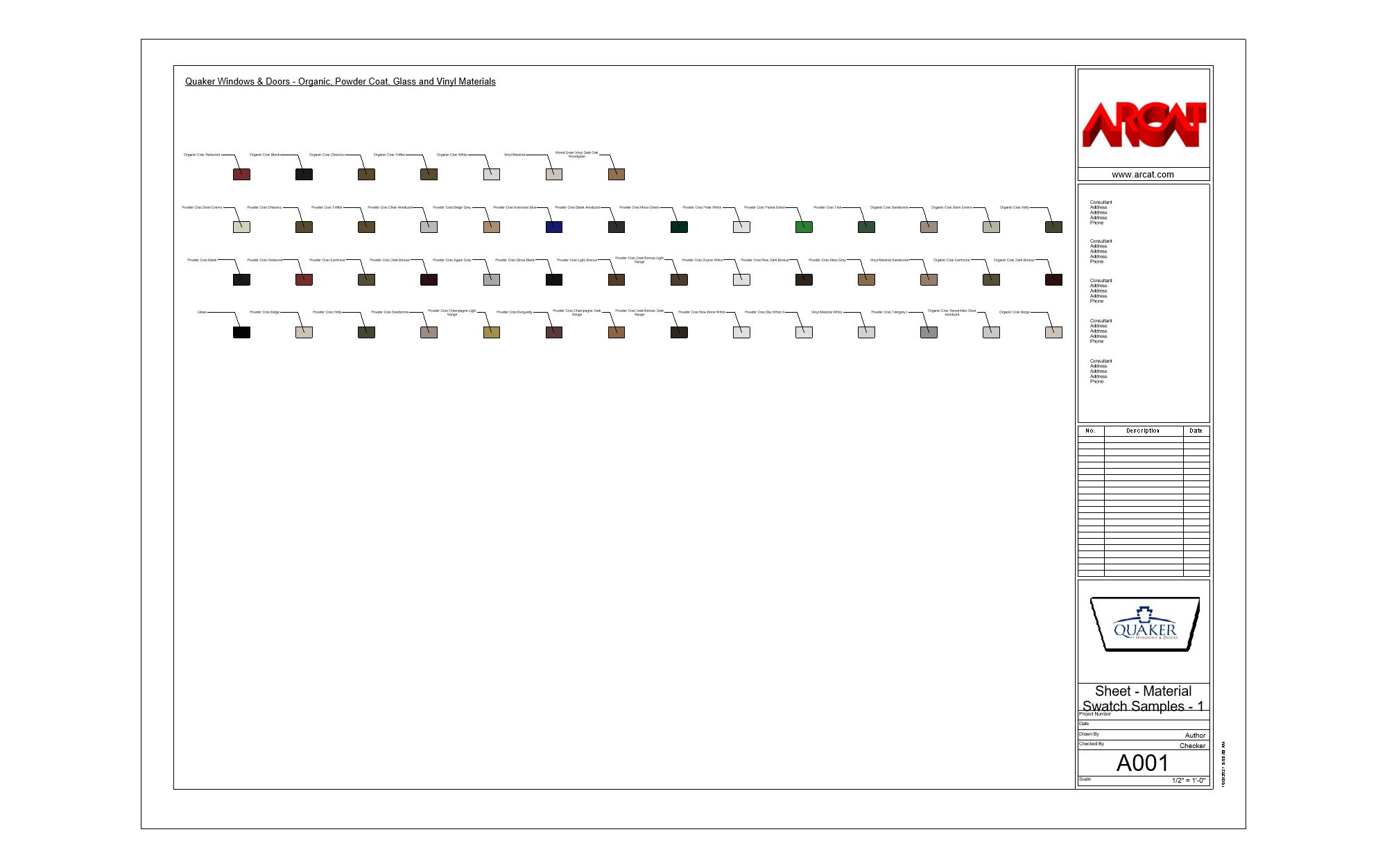
Material Library - C600

Material Library - C600 Revit objectMagnifying glass icon

Residential Luxury Windows - Cityline

Quaker Windows & Doors

Awning Window: Awning: Picture - Cityline

Awning Window: Awning: Picture - Cityline Revit object3D Revit BIM viewer

Awning Window: Picture: Awning - Cityline

Awning Window: Picture: Awning - Cityline Revit object3D Revit BIM viewer

Awning Window: Picture: Awning: Picture - Cityline

Awning Window: Picture: Awning: Picture - Cityline Revit object3D Revit BIM viewer

Awning Window: Single - Cityline

Awning Window: Single - Cityline Revit object3D Revit BIM viewer

Casement Window: Casement: Casement - Cityline

Casement Window: Casement: Casement - Cityline Revit object3D Revit BIM viewer

Casement Window: Casement: Picture - Cityline

Casement Window: Casement: Picture - Cityline Revit object3D Revit BIM viewer

Casement Window: Single - Cityline

Casement Window: Single - Cityline Revit object3D Revit BIM viewer

Picture Window: Single - Cityline

Picture Window: Single - Cityline Revit object3D Revit BIM viewer

Picture Window: Double - Cityline

Picture Window: Double - Cityline Revit object3D Revit BIM viewer

Picture Window: Double: Stacked - Cityline

Picture Window: Double: Stacked - Cityline Revit object3D Revit BIM viewer

Material Library - Cityline

Material Library - Cityline Revit objectMagnifying glass icon

Quaker Windows & Doors

Single Hung Window: 2 Round Arch Head 12 lb - H650

Single Hung Window: 2 Round Arch Head 12 lb - H650 Revit object3D Revit BIM viewer

Quaker Windows - Quartz Luxury Division

Awning Window: Awning: Picture - Cityline

Awning Window: Awning: Picture - Cityline Revit object3D Revit BIM viewer

Quaker Windows & Doors

Fixed Window: Single - C600

Fixed Window: Single - C600 Revit object3D Revit BIM viewer

Quaker Windows & Doors

Single Hung Window: 12 Round Arch Head Nail Fin 12 lb - H655

Single Hung Window: 12 Round Arch Head Nail Fin 12 lb - H655 Revit object3D Revit BIM viewer

Quaker Windows - Quartz Luxury Division

Awning Window: Picture: Awning - Cityline

Awning Window: Picture: Awning - Cityline Revit object3D Revit BIM viewer

Quaker Windows & Doors

Fixed Window: Double - C600

Fixed Window: Double - C600 Revit object3D Revit BIM viewer

Quaker Windows - Quartz Luxury Division

Awning Window: Picture: Awning: Picture - Cityline

Awning Window: Picture: Awning: Picture - Cityline Revit object3D Revit BIM viewer

Quaker Windows & Doors

Fixed Window: Double: Stacked - C600

Fixed Window: Double: Stacked - C600 Revit object3D Revit BIM viewer

Quaker Windows & Doors

Fixed Window: Double Jamb Horizontal with Wide 3" - M600

Fixed Window: Double Jamb Horizontal with Wide 3" - M600 Revit object3D Revit BIM viewer

Quaker Windows & Doors

Single Hung Window: Vinyl - V300

Single Hung Window: Vinyl - V300 Revit object3D Revit BIM viewer

Quaker Windows - Quartz Luxury Division

Casement Window: Casement: Casement - Cityline

Casement Window: Casement: Casement - Cityline Revit object3D Revit BIM viewer

Quaker Windows - Quartz Luxury Division

Casement Window: Casement: Picture - Cityline

Casement Window: Casement: Picture - Cityline Revit object3D Revit BIM viewer

Quaker Windows - Quartz Luxury Division

Casement Window: Single - Cityline

Casement Window: Single - Cityline Revit object3D Revit BIM viewer

Quaker Windows & Doors

Fixed Window: Narrow - V300

Fixed Window: Narrow - V300 Revit object3D Revit BIM viewer

Quaker Windows & Doors

Fixed Window: Wide - V300

Fixed Window: Wide - V300 Revit object3D Revit BIM viewer

Quaker Windows - Quartz Luxury Division

Picture Window: Double - Cityline

Picture Window: Double - Cityline Revit object3D Revit BIM viewer

Quaker Windows - Quartz Luxury Division

Picture Window: Double: Stacked - Cityline

Picture Window: Double: Stacked - Cityline Revit object3D Revit BIM viewer

Quaker Windows - Quartz Luxury Division

Picture Window: Single - Cityline

Picture Window: Single - Cityline Revit object3D Revit BIM viewer

What is the Aluminum Windows CSI section and why are these BIM files important?

Aluminum Windows under CSI section 085113 are a critical component in the building envelope, offering durability, aesthetic appeal, and thermal efficiency. These windows are commonly used in both residential and commercial construction due to their strength, lightweight nature, and resistance to corrosion. The BIM (Building Information Modeling) files for Aluminum Windows include comprehensive data sets that portray the physical and functional characteristics of the windows. These BIM files help design professionals visualize and simulate the installation and performance of aluminum windows within a virtual building model. By leveraging BIM, stakeholders can collaborate more effectively, minimize errors, and optimize the integration of windows into the building design. The BIM content typically includes detailed geometry, technical specifications, material properties, and performance criteria such as thermal insulation, sound attenuation, and structural load-bearing capabilities. Utilizing BIM files ensures that the aluminum windows meet the project’s design requirements and comply with relevant building codes and standards, ultimately improving the efficiency and success of construction projects.

Frequently Asked Questions

What is the significance of BIM content for CSI section 085113 - Aluminum Windows?

BIM content for Aluminum Windows allows AEC professionals to integrate detailed window designs into 3D models, facilitating better visualization, accurate clash detection, and improved coordination among project stakeholders.

How can BIM files improve the design process for aluminum windows in construction projects?

BIM files provide precise geometry and metadata for aluminum windows, aiding in the efficient design, analysis, and selection of window systems, ensuring they meet project specifications and performance criteria.

Why is it important to ensure BIM files are accurate for aluminum windows?

Accurate BIM files ensure that aluminum windows fit perfectly within the building structure, help in estimating material requirements, and enable seamless integration with other building components, reducing errors and rework during construction.

Can BIM content help in the lifecycle management of aluminum windows?

Yes, BIM content includes detailed information on maintenance schedules, warranties, and replacement parts, assisting in the effective lifecycle management of aluminum windows, from installation through maintenance to eventual replacement.

How does using BIM for Aluminum Windows impact sustainability in building projects?

BIM facilitates the selection of energy-efficient and sustainable window designs by providing data on thermal performance and material specifications, contributing to the overall sustainability goals of the building project.